

Petclinic
★ 1from kirtiapte
Interacts with the Swagger Petstore API using Petclinic v3 APIs, exposing tools for OpenAI models.
petclinic-mcp
Petclinic MCP server
Petclinic MCP server uses petclinic v2 apis (https://petstore.swagger.io/). It interacts with the Swagger Petstore API (similar to a "PetClinic") and exposes tools to be used by OpenAI models.
It exposes following capabilites
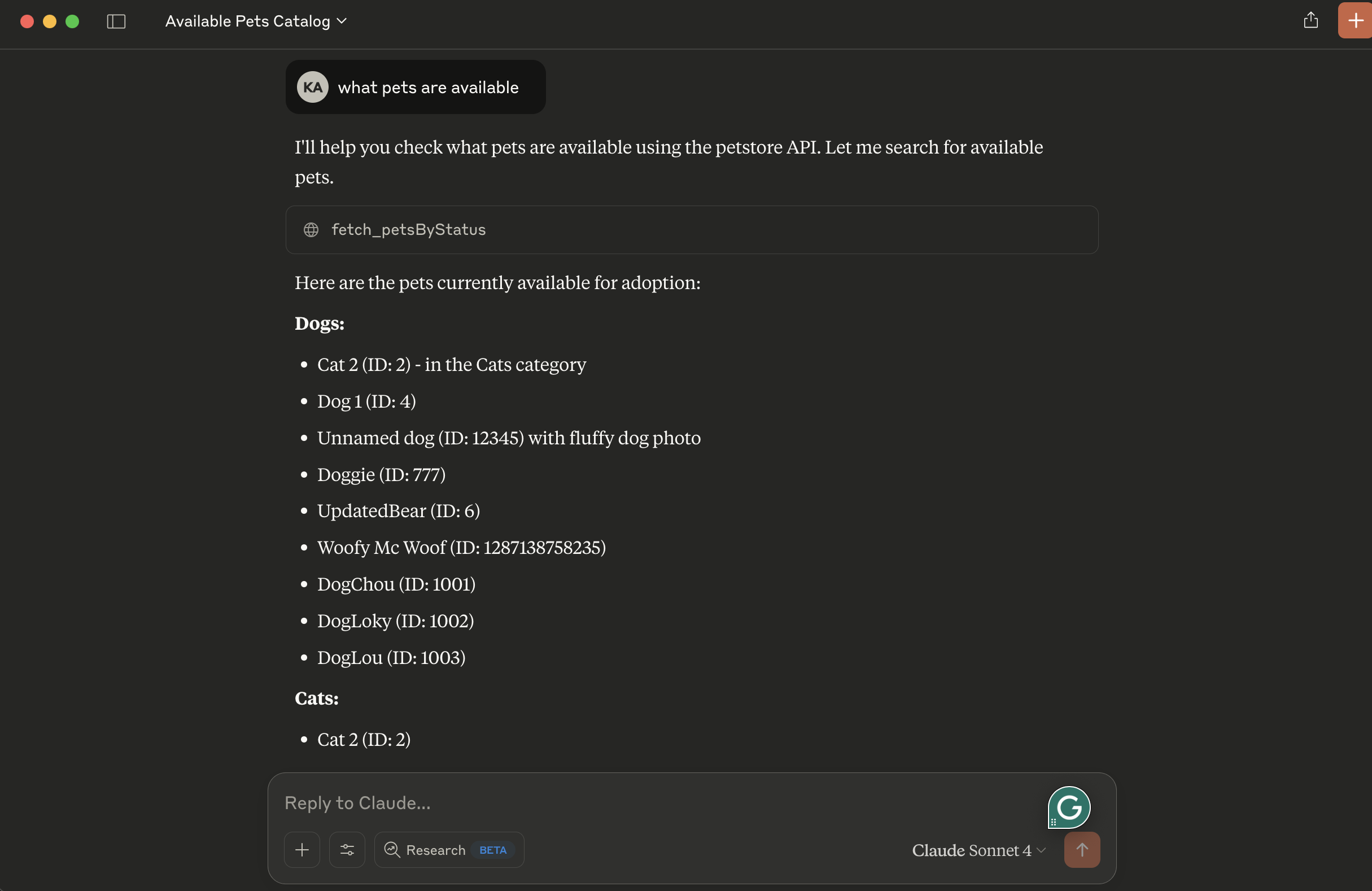
- fetch_petsByStatus: Available status values : available, pending, sold
uv initPrerequisites
- uv package manager
- Python
Running locally
- tip use stdio transport to avoid remote server setup. Change petclinic_mcp_server.py line 39 to use stdio transport
mcp.run(transport='stdio')- Clone the project, navigate to the project directory and initiate it with uv:
uv init- Create virtual environment and activate it:
    uv venv
source .venv/bin/activate- Install dependencies:
uv add mcp httpx- Launch the mcp inspector
npx @modelcontextprotocol/inspector uv run petclinic_mcp_server.py- OR launch the mcp server without inspector
uv run petclinic_mcp_server.pyConfiguration for Claude Desktop
You will need to supply a configuration for the server for your MCP Client. Here's what the configuration looks like for claude_desktop_config.json:
{
    "mcpServers": {

        "filesystem": {
            "command": "npx",
            "args": [
                "-y",
                "@modelcontextprotocol/server-filesystem",
                "/{your-project-path}/petclinic-mcp/"
            ]
        },

        "research": {
            "command": "/{your-uv-install-path}/uv",
            "args": [
              "--directory",
              "/{your-project-path}/petclinic-mcp/",
              "run",
              "petclinic_mcp_server.py"]
        },

        "fetch": {
            "command": "uvx",
            "args": ["mcp-server-fetch"]
        }
    }
}
Deploy to Cloud Foundry
- tip use sse transport to deploy petclinic mcp server as a remote server. Change petclinic_mcp_server.py line 39 to use stdio transport
mcp.run(transport='sse')- Login to your Cloud Foundry account and push the application
cf push -f manifest.ymlBinding to MCP Agents
Model Context Protocol (MCP) servers are lightweight programs that expose specific capabilities to AI models through a standardized interface. These servers act as bridges between LLMs and external tools, data sources, or services, allowing your AI application to perform actions like searching databases, accessing files, or calling external APIs without complex custom integrations.
Create a user-provided service that provides the URL for an existing MCP server:
cf cups petclinic-mcp-server -p '{"mcpServiceURL":"https://your-petclinic-mcp-server.example.com"}'Bind the MCP service to your application:
cf bind-service ai-tool-chat petclinic-mcp-serverRestart your application:
cf restart ai-tool-chatYour chatbot will now register with the research MCP agent, and the LLM will be able to invoke the agent's capabilities when responding to chat requests.
No common issues documented yet. If you hit a problem, the repository's GitHub Issues page is the best place to look.